Webflow Designer app
Print your QR codes once.
Change where they go anytime.
Dynamic QR codes that live on your own Webflow site. Print them once, then change where they go anytime, right from the Designer.
- Free plan
- Premium from 10 €/month
- Runs in the Designer
- English & French
 QR ManagerDemo
QR code created
yoursite.com/qr/In Webflow, it would be published to your CMS. Change its destination anytime, without reprinting.




How it works
From the Designer to the scan, step by step
No third-party redirect service: your QR codes are pages of your own Webflow site. Here is what happens, from installing the app to changing a printed code.


- 01
Install
Install the app in the Designer
A guided assistant connects your site, creates the “QR Codes” CMS collection and builds the redirect page. Two minutes, no code.
- 02
Create
Create a code: a name and a destination
QR Manager gives it a stable address on your domain, like lumen-cafe.com/qr/menu, and saves it as a CMS item of your site.
- 03
Style
Give it your brand, then download it
Colors, module shapes, logo, team templates. Download a print-ready PNG (2048 px) or SVG.
- 04
Scan
A visitor scans the printed code
Their phone opens the page of your site, which sends them right away to the current destination, in their language.
- 05
Change
Change the destination anytime
New menu, new campaign: edit the destination in the Designer or in your customer area. The printed code stays the same.
Features
Everything happens in the Designer
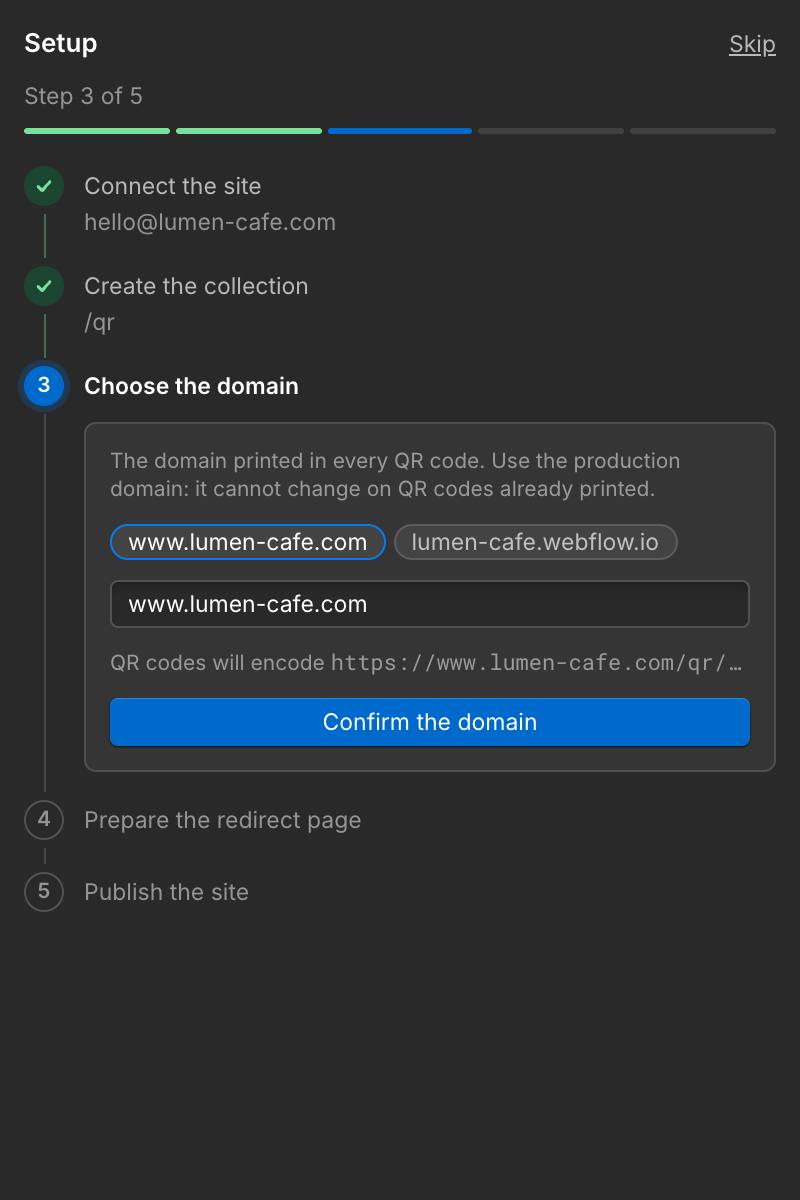
Guided setup
Ready in two minutes, without code
A step-by-step assistant connects your site, creates the CMS collection, picks your domain and builds the redirect page. Each step is checked for you.
- Each step verified automatically
- Works on an existing site
- Run it again anytime from Settings
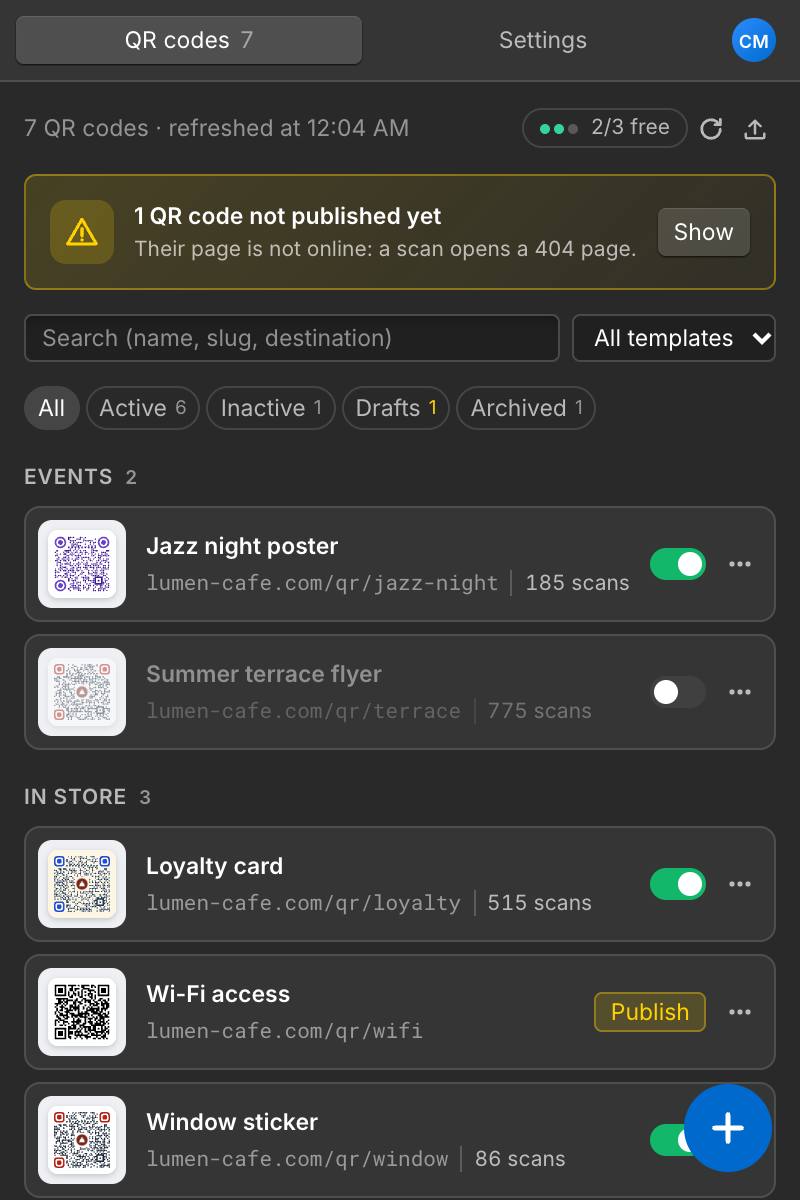
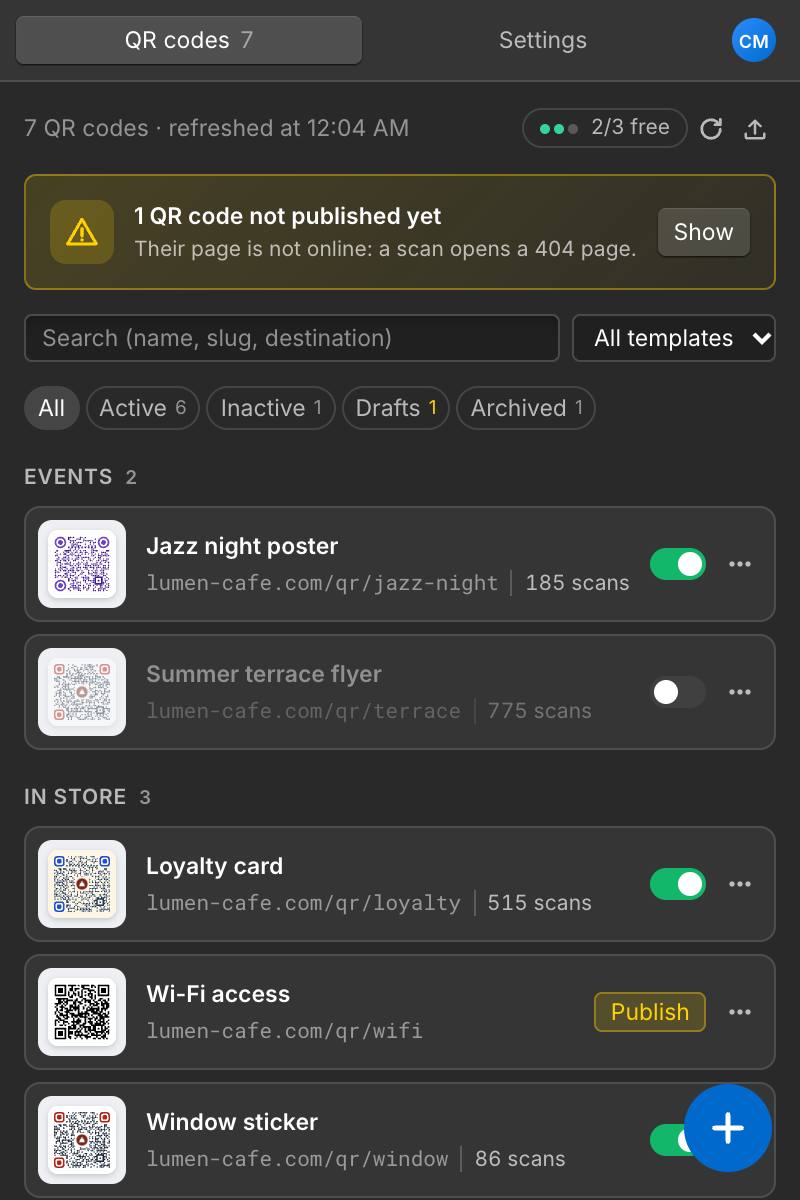
All your codes
Every QR code at a glance
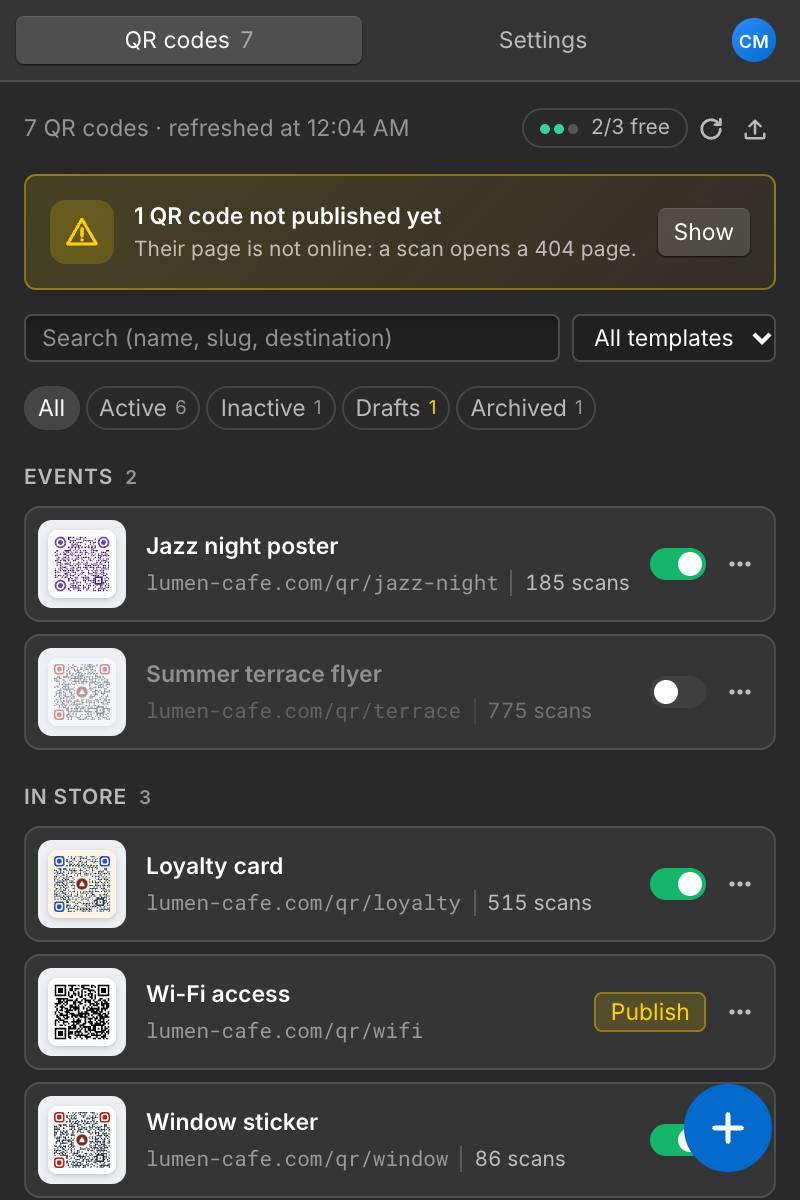
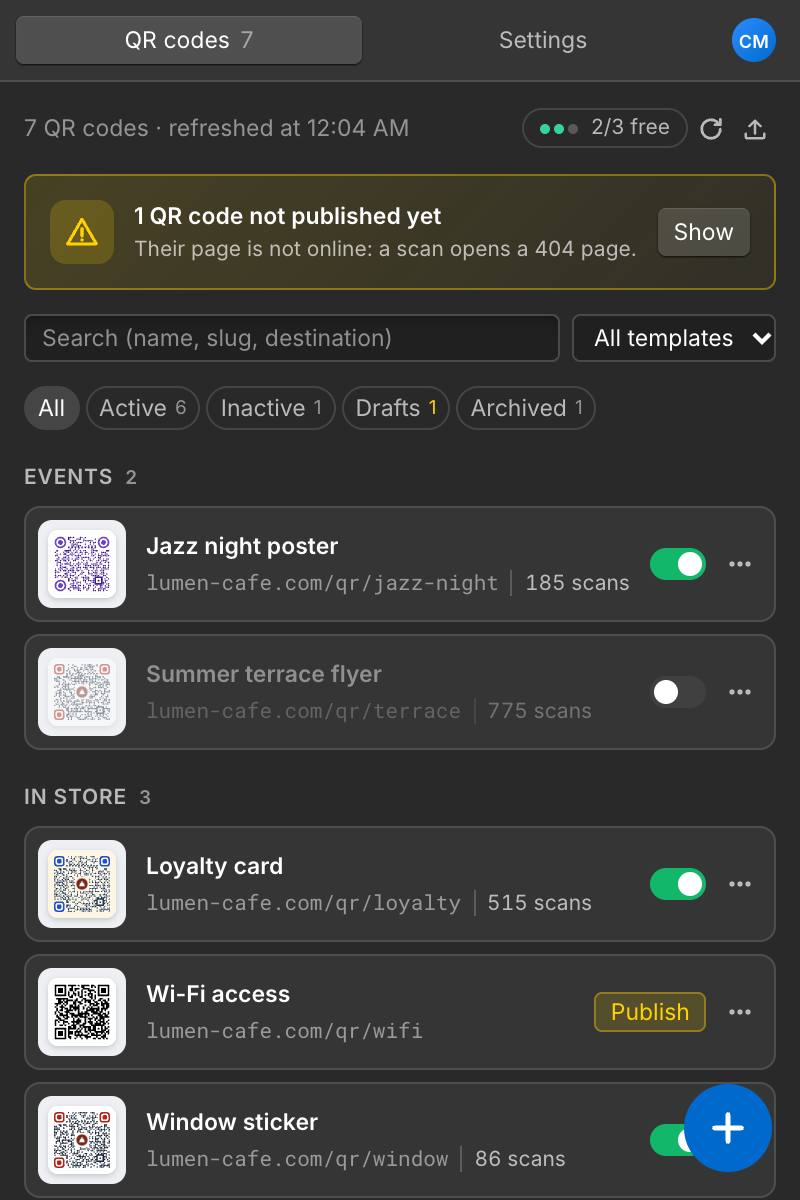
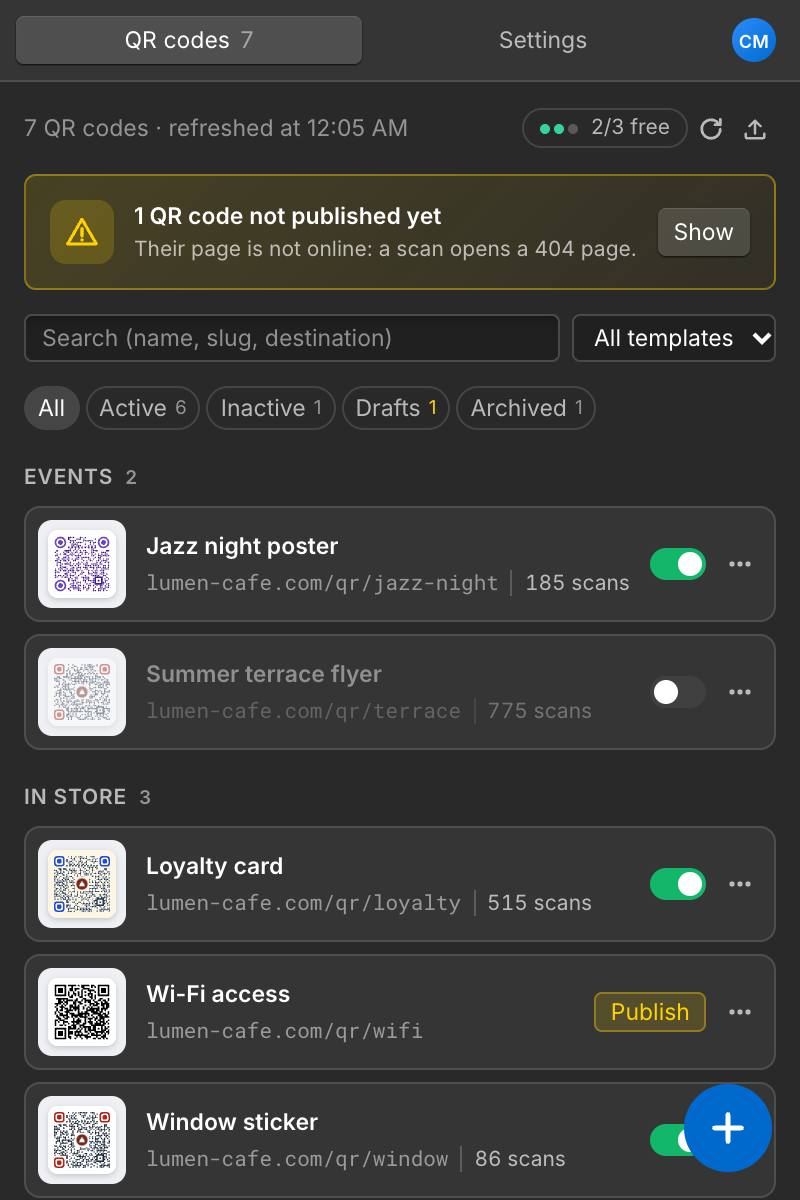
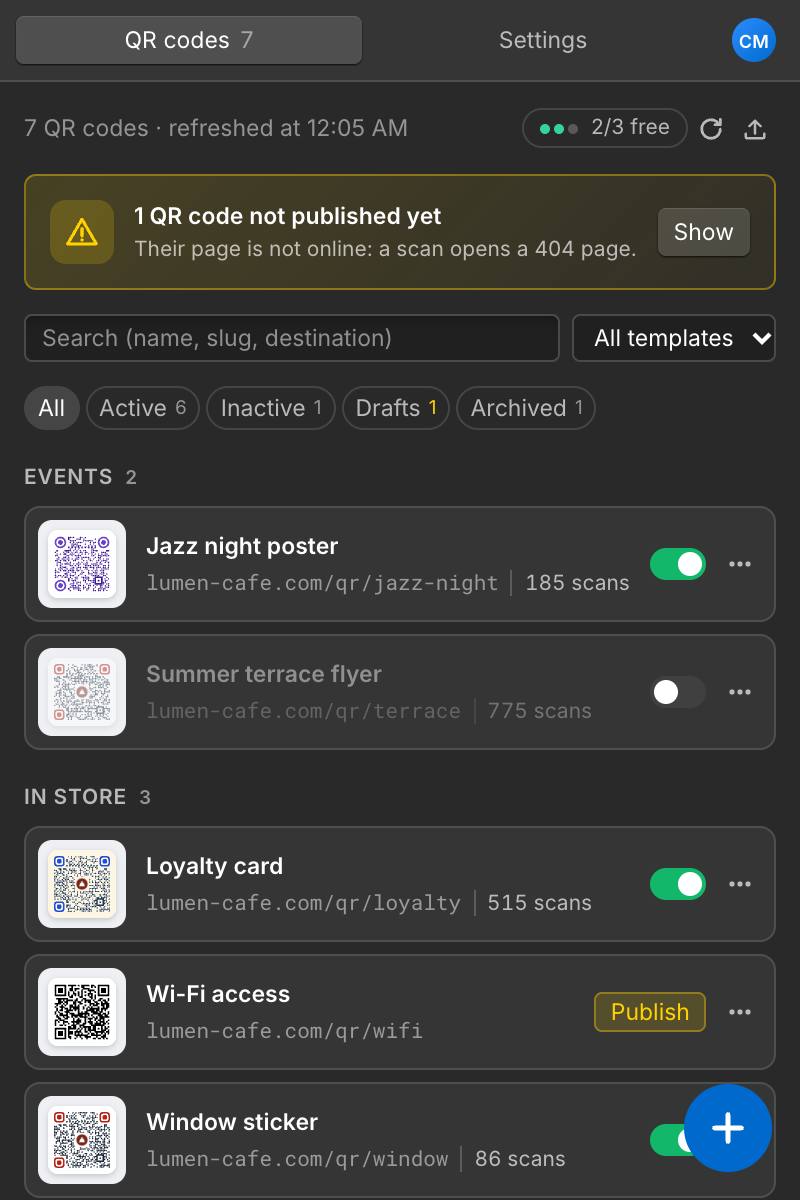
Codes grouped by category, each with the address printed in it. Open a code to see where it leads in every language and who generated it; pause, duplicate, archive or publish in one click.
- Categories, search and filters
- Unpublished codes flagged, with a Publish button
- Archive instead of deleting
Custom styles
QR codes that look like your brand
Colors for the modules, the corners and the background, four module shapes, three corner shapes, and your logo in the center.
- Readability checked as you design
- Error correction raised with a logo
- Every combination scan-tested
Shared templates
One look for the whole team
Save styles as templates, shared with everyone working on the site. Change a template once, then update every code that follows it in one click.
- A default template for new codes
- Outdated images detected
- Duplicate, rename, set as default
Multilingual sites
One code, every language
With Webflow Localization, each code exists in every language of your site and visitors land on the page in their language. Keep one destination, or set a specific URL per language.
- Same destination by default
- A specific URL per language
- Redirect page translated automatically
Tracking
Know which print brings visitors
Turn on UTM parameters and every scan shows up in Google Analytics or Webflow Analytics as its own campaign. Set defaults once; fine-tune them code by code.
- utm_source, utm_medium, utm_campaign
- Campaign follows the slug
- On by default if you want
Bulk work
Hundreds of codes? Use a spreadsheet
Export your codes to CSV, edit them in Excel or Google Sheets, and import them back. The app shows what will be created, updated or skipped before anything changes.
- Preview before import
- Updates matched by slug
- Errors explained line by line
Customer area & teams
Your QR codes, in Webflow and beyond
Manage your codes in the Designer, or from any browser in your customer area. One account for the whole team and every site, and everything stays in your Webflow CMS.
Inside Webflow
The app runs in the Designer and every code is an item of your CMS: visible, editable and published like the rest of your site.
From any browser
Create, edit, pause and follow your codes without opening the Designer. Changes are saved to your CMS and show up in the app.
Built for teams
Premium covers every site of your account. With Premium Team, invite members to a site as admin or editor: they share the same codes and templates.
Beyond Webflow
Your QR codes go into your designs too
The codes you create in Webflow follow you into your design tools and your campaigns. Drop them into mockups, flyers, posters and emails: when a code's look changes, your designs update with it.
Figma
Drag your QR codes into your mockups. They stay in step with QR Manager, ready to hand off.
Canva
Add your QR codes to flyers, menus and posters, right from the Canva side panel.
Adobe Express
Place your QR codes as vectors in your visuals, sharp at every print size.
Adobe Illustrator
Bring your QR codes as vectors into posters, packaging and illustrations.
Adobe InDesign
Lay out your QR codes in brochures, catalogs and menus, ready for the printer.
Brevo
Add your QR codes to email and SMS campaigns: in-store coupons, tickets, invitations.
Mailchimp
Put your QR codes in newsletters and campaigns, from the inbox to the point of sale.
Google Slides
Add your QR codes to presentations and handouts. They update by themselves when a code changes.
PowerPoint
Add your QR codes to presentations, product sheets and printed documents.
More tools are on the way.
All features
Everything your QR codes need
Styles, languages, UTM, CSV import: every feature is included from the free plan. Premium lifts the creation limit and adds advanced statistics; Premium Team adds members.
Editable destinations
Point a printed code somewhere new in seconds, as often as you need.
Pause, archive, restore
Take a code offline without losing it, then bring it back at the same address.
Styles & team templates
Brand colors, module shapes and your logo, shared with everyone on the site.
Print-ready files
PNG at 2048 px and SVG, with error correction up to level H.
Multilingual sites
One printed code that opens your site in each visitor's language.
Scan statistics
Every scan counted, without cookies. With Premium: unique scans, hours, cities, devices and campaigns.
UTM tracking
Scans arrive as campaigns in Google Analytics or Webflow Analytics.
CSV import & export
Create or update hundreds of codes from a spreadsheet.
Your CMS, your data
Codes live in the CMS of your Webflow site, and nowhere else.
Built on your own site
- No third-party redirect
Codes point to your domain. If QR Manager disappeared tomorrow, printed codes would keep working.
- Privacy-friendly statistics
Scans are counted anonymously: no cookie, no IP address kept, and you can turn counting off.
- Visible and editable
The redirect page is a normal CMS template page, with classes prefixed qrm- you can restyle.
Pricing
Free to start, unlimited from 10 € a month
Start for free. Go Premium when you need more codes and statistics, and Premium Team to work together on your sites.
Free
0 €
- 3 new QR codes per 24 hours
- Unlimited edits, pauses and downloads
- Every feature: styles, templates, languages, UTM, CSV
- Printed codes never expire
Premium
Most popular10 €/month, all your sites
or 79 €/year: 4 months free
- Unlimited QR codes
- Advanced statistics: unique scans, hours, cities
- UTM campaigns and CSV export
- Every site of your account
Premium Team
For teams39 €/month, unlimited members
or 349 €/year: 3 months free
- All of Premium
- Unlimited members, site by site
- Admin and editor roles
- Members create under your subscription
Secure payment by Stripe, from the app's Settings or your customer area. Change plans or cancel anytime: your plan stays active until the end of the paid period. Compare plans in detail →
FAQ
Questions
Is it free?
The free plan creates 3 new QR codes per 24 hours, with every feature. Premium removes the limit: 79 € per year (4 months free) or 10 € per month, for all the sites of your account. Premium Team (39 € per month) adds unlimited members on your sites. Editing existing codes is always free.
What happens if I stop Premium?
Your codes keep working and stay editable. Only the creation of new codes goes back to the free limit.
Do printed codes depend on QR Manager?
No. The redirect is done by your Webflow site. The app is only used while you edit codes in the Designer.
Which Webflow plan do I need?
A site plan with CMS, since each QR code is a CMS item. Localization is optional.
Will styled codes scan?
Every combination offered by the app is decoded by standard readers in our tests, and the app warns you about low contrast.
Ready when you are
Start in two minutes
Free plan included. Your QR codes stay in your Webflow CMS, and printed codes keep working even without the app.
- Free plan
- Premium from 10 €/month
- Team plan for agencies
- English & French