Sign in
- Email link: enter your address, then click the link you receive. It works once and expires after 15 minutes.
- Sign in with Webflow: your Webflow sites join your account.
Your session lasts 30 days on a device. Sign out at the bottom of the menu ends it.
Connected tools
Integrations lists every tool connected to your account: Figma, Canva, Adobe Express, Google Slides and the Mac and Windows app, one line per device, with when it was connected and last used.
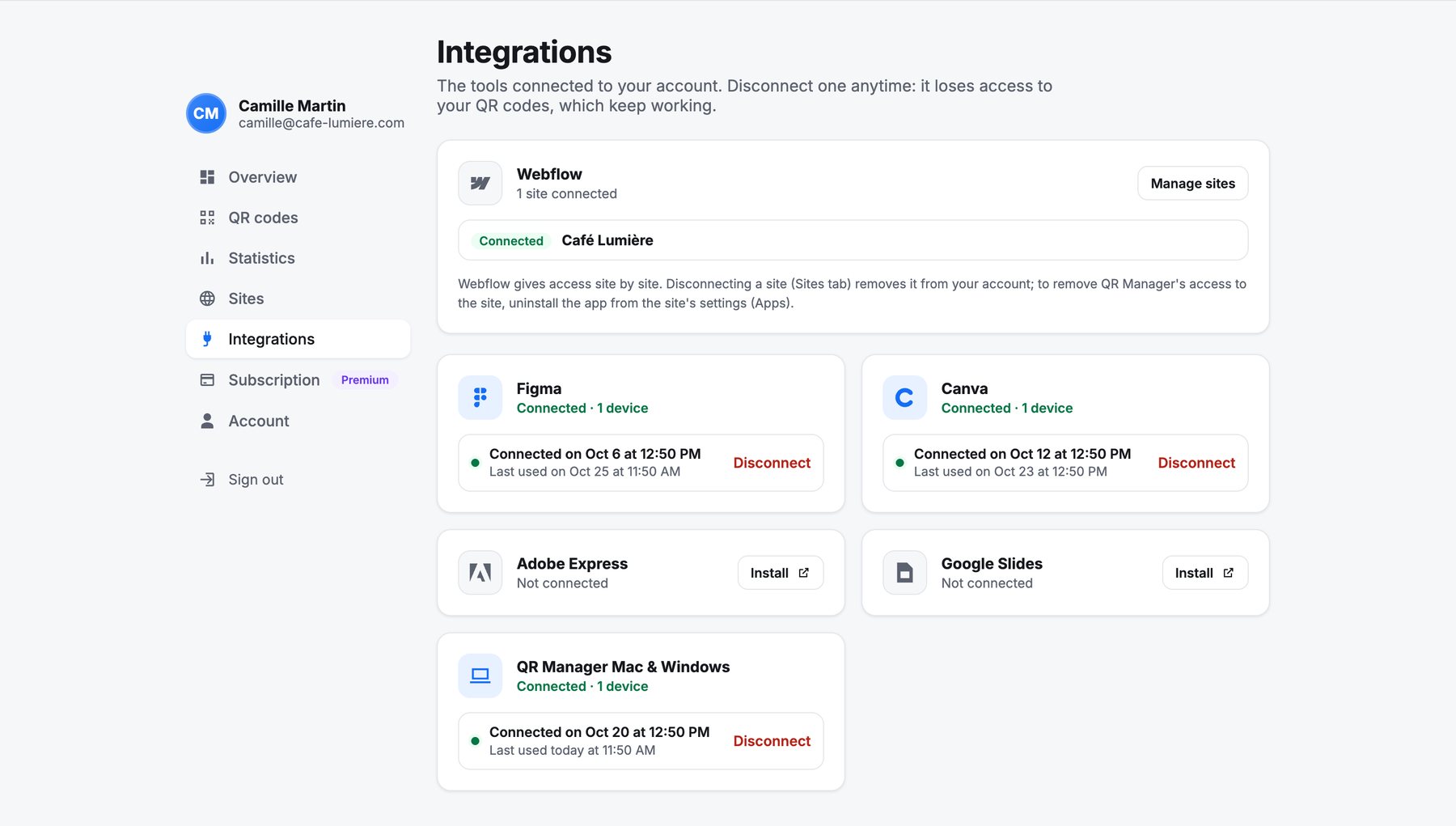
Disconnect removes that tool’s access at once: it will ask to sign in again. Your QR codes keep working. Webflow sites are managed in Sites.
Your data
- Account → Export my data downloads a JSON file with everything QR Manager keeps about your account.
- Account → Delete my account erases the account, its sessions and its links to your sites. QR codes stored in your Webflow CMS stay there.
QR Manager sells no data and uses no advertising trackers. Scan counting is anonymous: see Scan statistics. Details in the privacy policy.