
On sites using Webflow Localization, one printed QR code serves every language.
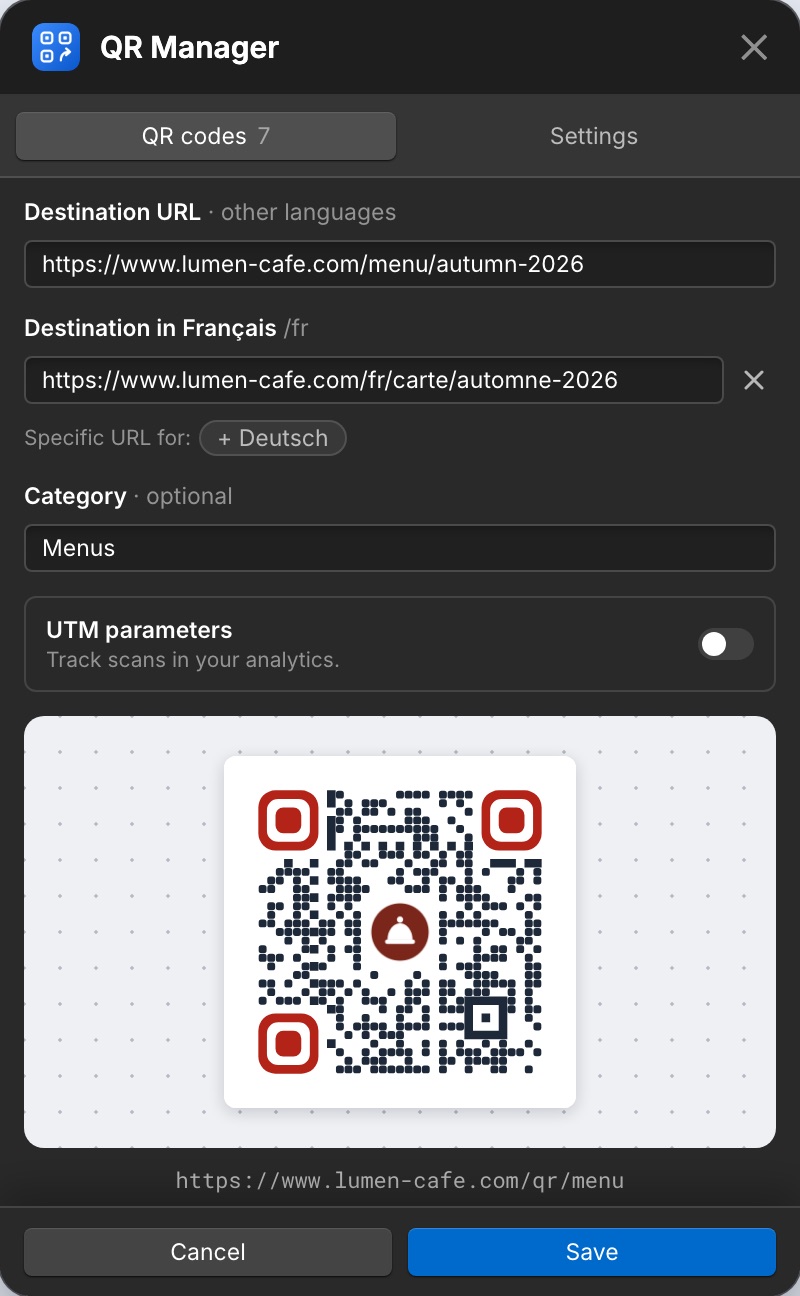
How it works
- Each code is created, published and deleted in every language of the site. The printed code encodes the main language’s address.
- Visitors are first sent to the page in their language (using your
hreflanglinks or language folders), then to that language’s destination. - Texts of the redirect page you did not translate are translated as the page loads (7 languages). Your own translations are kept.
A destination per language
Every language uses the main destination by default. Under the destination, Specific URL for: + language adds one for that language. Remove it to follow the main destination again.
Adding a language later
- In the QR codes list, click Create in every language.
- Settings → Collection and redirect → Update the design.
- Publish the site.
The structure of the redirect page can only be changed on the site's main language: the app greys out those buttons in other languages.