The plans
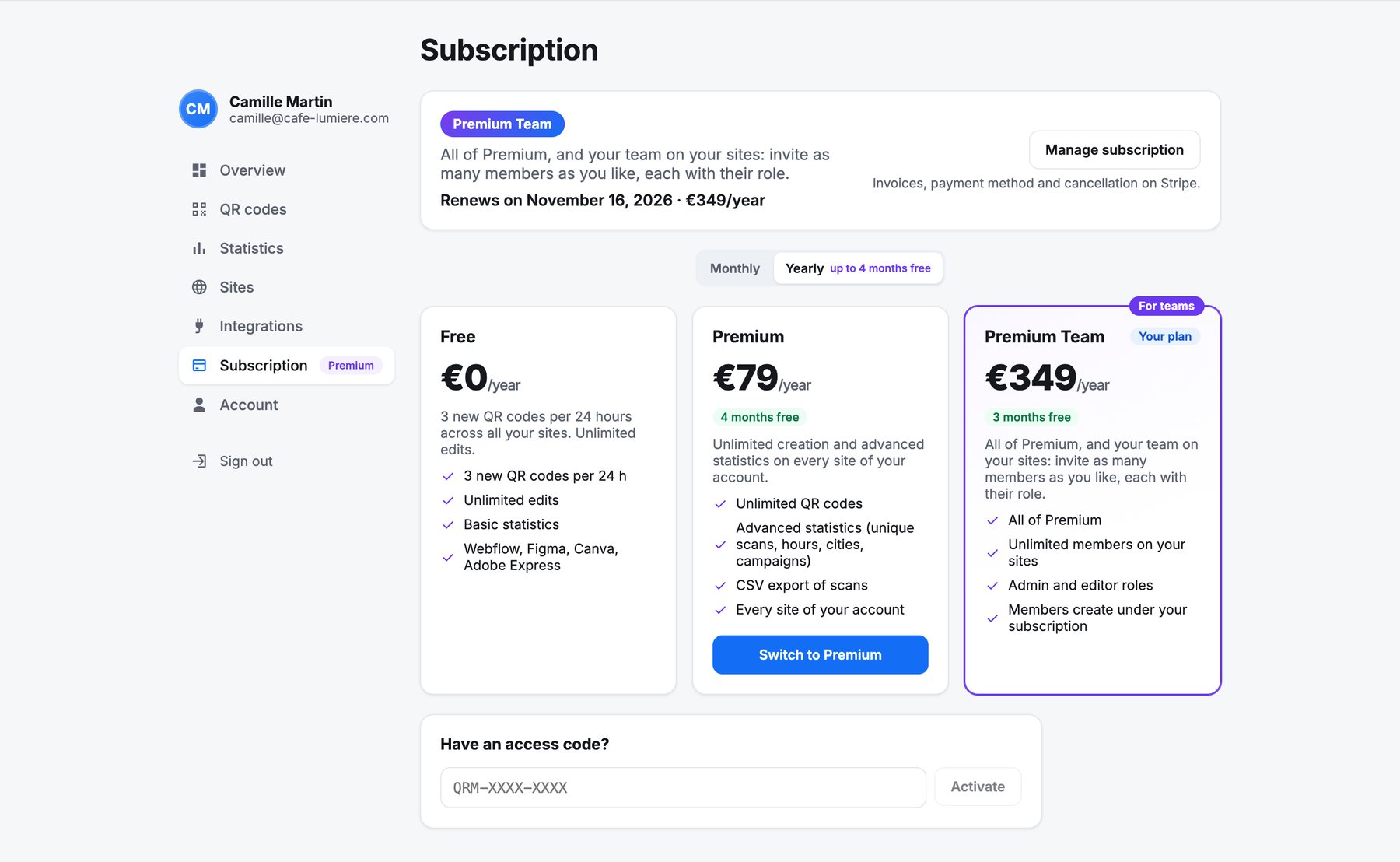
| Free | Premium | Premium Team | |
|---|---|---|---|
| Price | 0 € | 10 €/month or 79 €/year | 39 €/month or 349 €/year |
| New QR codes | 3 per rolling 24 hours | Unlimited | Unlimited |
| Editing, pausing, downloads | Unlimited | Unlimited | Unlimited |
| Every tool (Webflow, Figma, Canva…) | ✓ | ✓ | ✓ |
| Statistics | Totals per code | Advanced (hours, places, campaigns, CSV) | Advanced |
| Team members | — | — | Unlimited, admin or editor |
Premium applies to every space of your account: your hosted space and all your Webflow sites. Duplicates and codes created by a CSV import count as new codes on the free plan; when the limit is reached, the apps tell you when the next free code is possible.
Subscribe
- In the customer area, open Subscription and pick monthly or yearly.
- Click Upgrade to Premium or choose Premium Team. A secure Stripe payment page opens.
- Back in QR Manager, your plan switches by itself within a few seconds, in every tool.
You can also start from Go Premium in any app: it opens the same page.
Invoices, payment method, cancellation
Manage subscription opens the Stripe portal: invoices, payment method, plan change and cancellation. After cancelling, Premium stays active until the end of the paid period.
Access codes
If you received a code (QRM-XXXX-XXXX), enter it in Subscription → Have an access code? (or Settings → Subscription in the Webflow app). It unlocks Premium for life, with no subscription.
Frequently asked questions
How much does QR Manager cost?
The free plan costs nothing and has no time limit. Premium costs 10 € per month or 79 € per year. Premium Team costs 39 € per month or 349 € per year, with unlimited members.
What happens to my QR codes if I cancel Premium?
They keep working. Premium stays active until the end of the paid period, then the free plan applies again, with its limit on new codes.
Does one subscription cover several sites?
Yes. Premium applies to every space of your account, your Webflow sites and your hosted space included.