Each QR code has a style: colors, the shape of its modules and corners, and an optional logo. Save a style as a team template to reuse it everywhere.
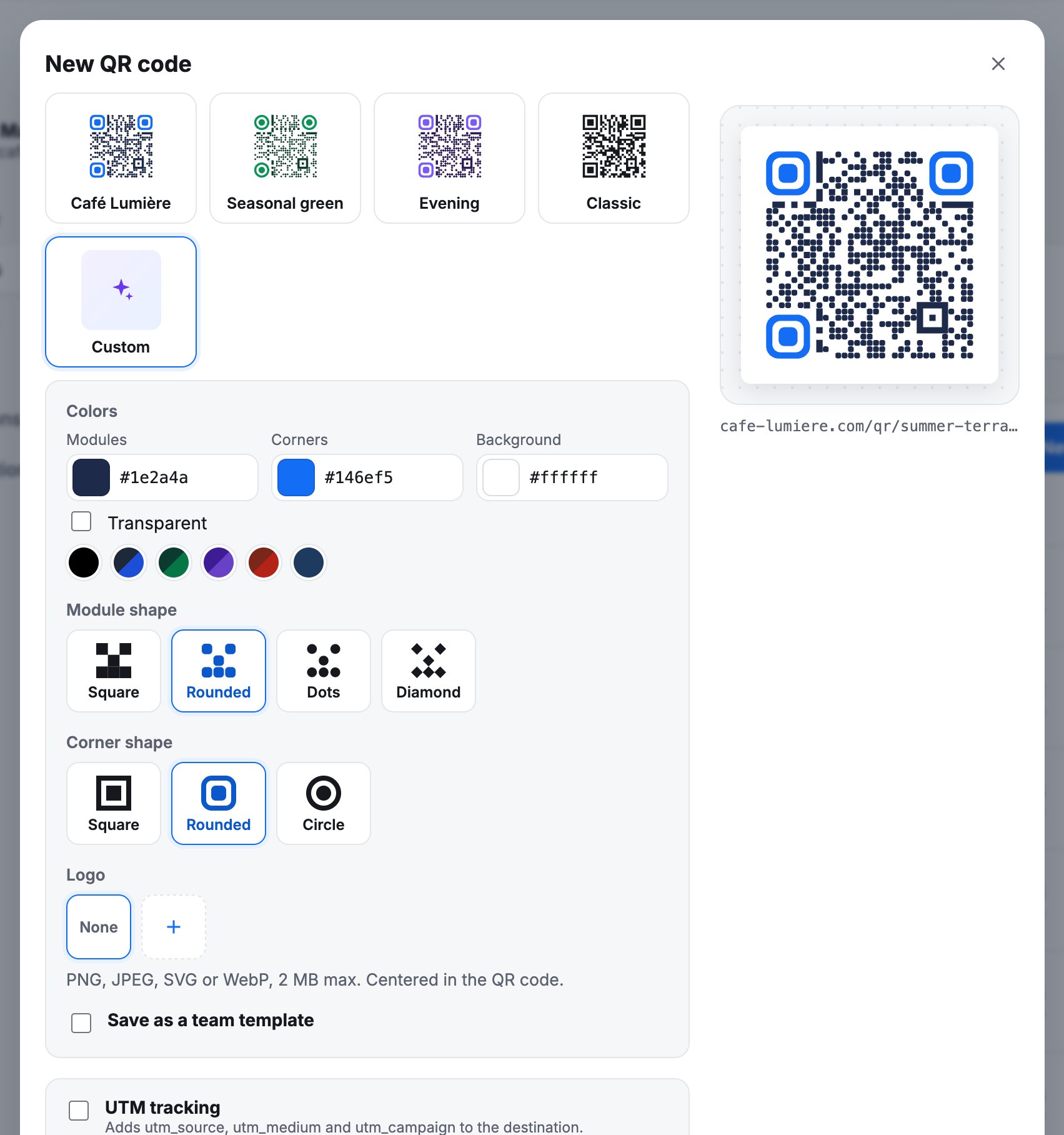
Style options
| Option | Choices |
|---|---|
| Colors | Modules, corners (the three big squares) and background, or a transparent background. Ready-made palettes. |
| Module shape | Square, rounded, dots, diamond. |
| Corner shape | Square, rounded, circle. |
| Logo | PNG, JPEG, SVG or WebP, 2 MB at most, centered in the code. The error correction is raised to keep the code readable. |
The preview shows Easy to scan when the contrast is good. Keep dark modules on a light background, and test a print before a large run.
Team templates
Templates belong to a space (your hosted space or a Webflow site) and are shared with everyone working on it: the customer area, the Webflow app, Figma, Canva, Adobe Express, Google Slides and the desktop app.
- In the form, pick a template under Team templates.
- Customize gives one code its own style.
- Save as a team template turns that style into a template for the next codes.
When a template changes, codes that use it get a new image. Your design tools then offer to update the copies already placed in your files: see Figma, Canva, Adobe Express and Google Slides.
The address in the code never changes with the style: restyling a printed code does not break it.